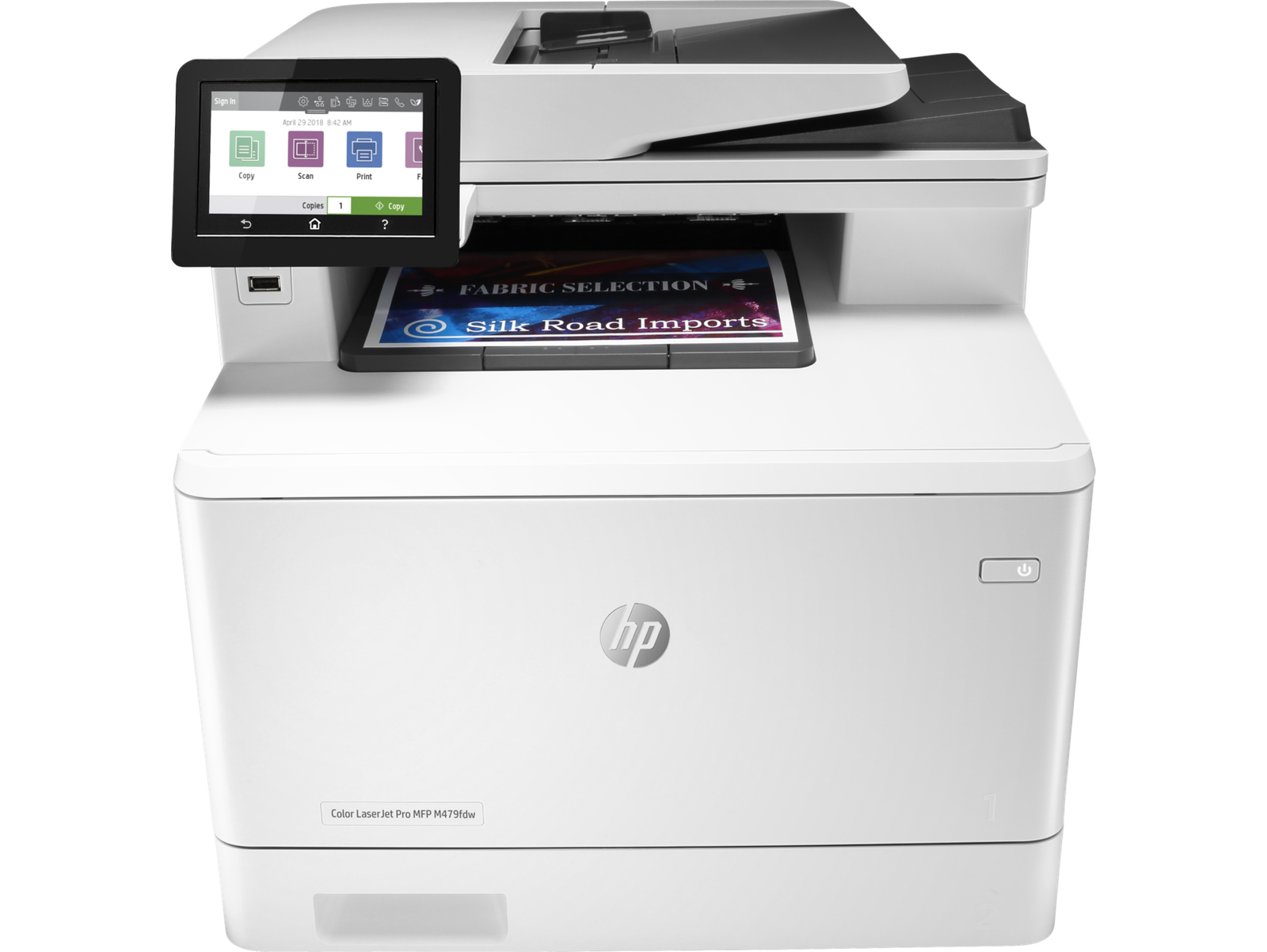
Winning in business means working smarter. The HP Color LaserJet Pro MFP M479 is designed to let you focus your time where it’s most effective-growing your business and staying ahead of the competition. HP Office Laser Multifunction Printers are designed for SMBs and small workteams in larger companies, delivering enhanced productivity, simplified workflows and reduced costs. This printer is intended to work only with cartridges that have a new or reused HP chip, and it uses dynamic security measures to block cartridges using a non-HP chip. Periodic firmware updates will maintain the effectiveness of these measures and block cartridges that previously worked. A reused HP chip enables the use of reused, remanufactured, and refilled cartridges. More at: http://www.hp.com/learn/ds Built to keep you—and your business—moving forward Scan files directly to Microsoft® SharePoint®, email, USB, and network folders.Help save time by automating all the steps in a complicated workflow and apply saved settings.Print wirelessly with or without the network, stay connected with dual band Wi-Fi and Wi-Fi direct.Print effortlessly from any device, virtually anywhere, to any HP printer—securely through the cloud. Best-in-class security–detect and stop attacks[6] A suite of embedded security features help protect your MFP from being an entry point for attacks.Help ensure security of confidential information with optional PIN/Pull printing to retrieve print jobs.Optional HP JetAdvantage Security Manager lets you set configurationThwart potential attacks and take immediate action with instant notification of security issues. Simply designed to uncomplicate your day Set up this MFP fast, and easily manage device settings to help increase overall printing efficiency.Tackle tasks quickly and easily—with the simple 4.3” (10.9cm) color touchscreen.Print Microsoft® office formatted files in addition to PDFs right off your USB drive.Avoid interruptions with an HP LaserJet MFP designed to be streamlined for maximum productivity. Sustainability is smart business Avoid frustrating reprints, wasted supplies, and service calls using Original HP toner cartridges.Help save paper right out of the box. The duplex print setting is set at default paper savings mode.Saves up to 18% energy over prior products.Help save energy with HP Auto-on/Auto-off technology. HP COLOR LASERJET PRO MFP M479 SERIES PRINTER Functions Print, copy, scan, fax, email Print Speed – Black (normal) Up to 28 ppm Print speed – Color (normal) Up to 28 ppm First page out (ready) black As fast as 9.3 sec First page out (ready) color As fast as 10.9 sec Resolution (black) 600 x 600 dpi, Up to 38,400 x 600 enhanced dpi Resolution (color) 600 x 600 dpi, Up to 38,400 x 600 enhanced dpi Resolution technology HP ImageREt 3600, PANTONE® calibrated Monthly duty cycle Up to 50,000 pagesDuty cycle is defined as the maximum number of pages per month of imaged output. This value provides a comparison of product robustness in relation to other HP LaserJet or HP Color LaserJet devices, and enables appropriate deployment of printers and MFPs to satisfy the demands of connected individuals or groups. Recommended monthly page volume 750 to 4000[13] Print Technology Laser Display 4.3″ intuitive touchscreen Color Graphic Display (CGD) Number of print cartridges 4 (1 each black, cyan, magenta, yellow) Replacement cartridges Automatic paper sensor No Paper trays, standard 2 Paper trays, maximum 3 Mobile Printing Capability HP Smart App; HP ePrint; Apple AirPrint™; Mobile Apps; Mopria™ Certified; Wi-Fi® Direct Printing; Google Cloud Print™ Connectivity, standard 1 Hi-Speed USB 2.0; 1 host USB at rear side;Gigabit Ethernet 10/100/1000BASE-T network; 802.3az(EEE) 802.11b/g/n / 2.4 / 5 GHZ Wi-Fi radio Security management What’s in the box HP Color LaserJet Pro M479fdw; 4 preinstalled Introductory HP LaserJet Toner cartridges (Black~2400 pages, Cyan, Magenta, Yellow: ~1200 pages); In-box documentation (Getting Started Guide, Install Poster); warranty card (Where required); Internet connection is required to set up the printer. HP printer software is available at www.hp.com/support; Power cord; USB cable Cable included Yes, 1 USB cable; Yes, fax cable Show More Show Less